cd .. # back to victorfalcon.es
cat dose/README

dose
Medication reminders that never leave your phone
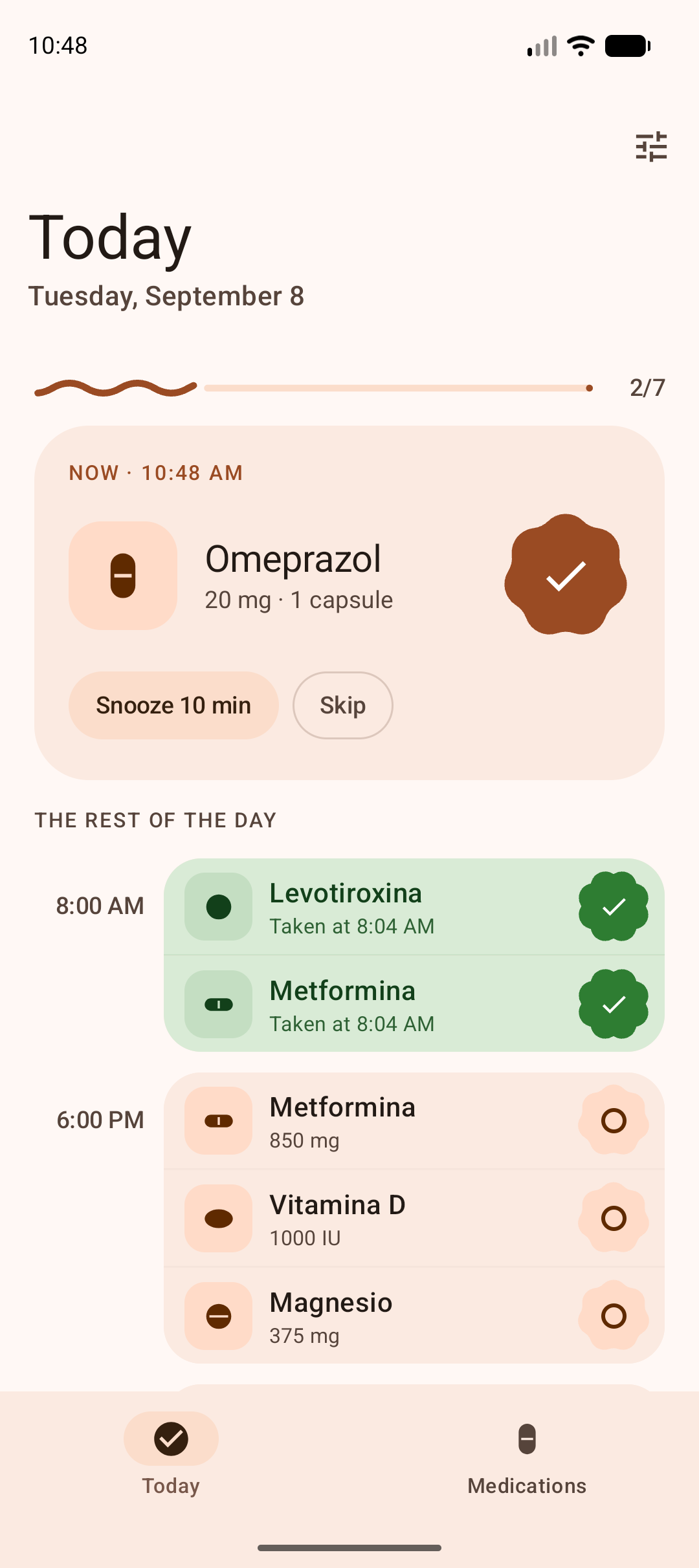
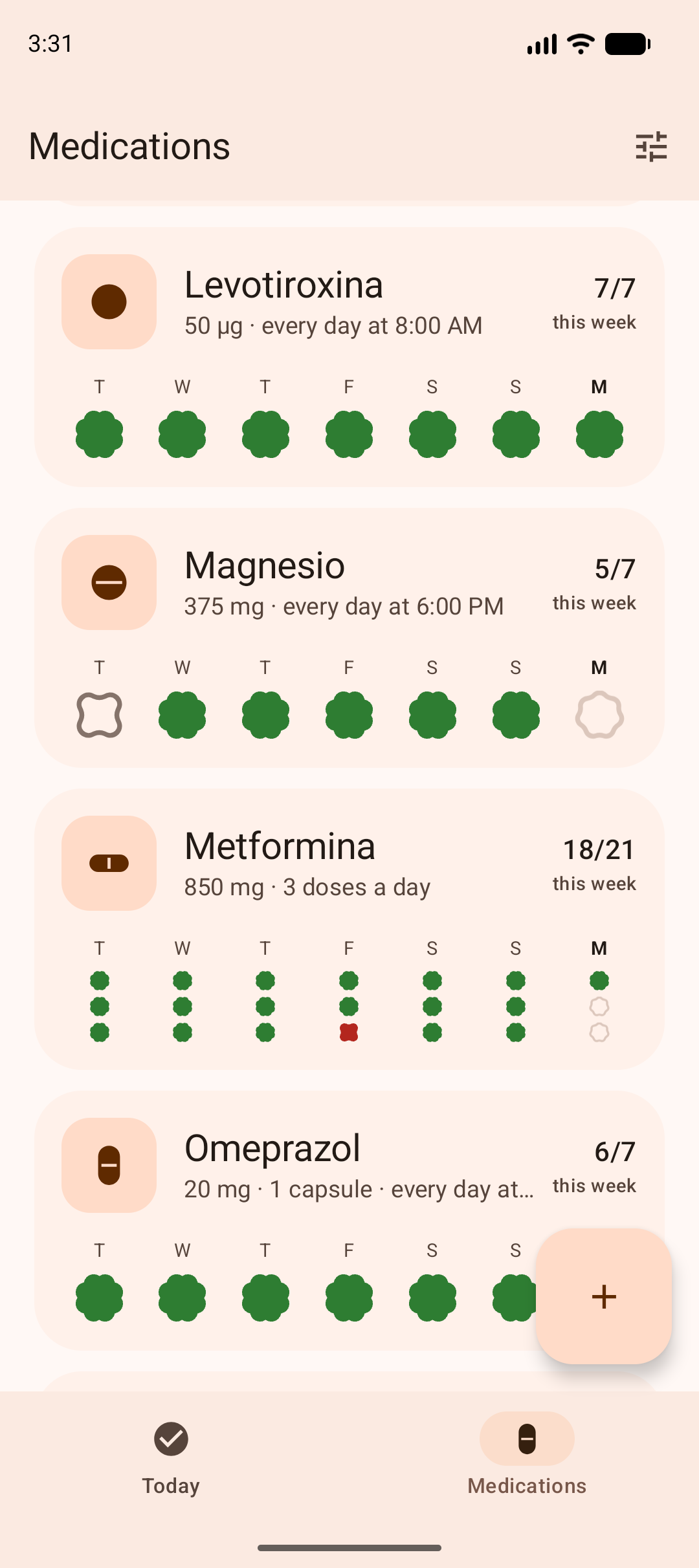
Dose reminds you of your medications and supplements, and keeps track of what you actually took. It is built for the awkward case: three different things at 8:00 AM and two more at 6:00 PM, and wanting to know whether yesterday you took all three or only two.
cat features.txt
- today screenevery dose, grouped by hour
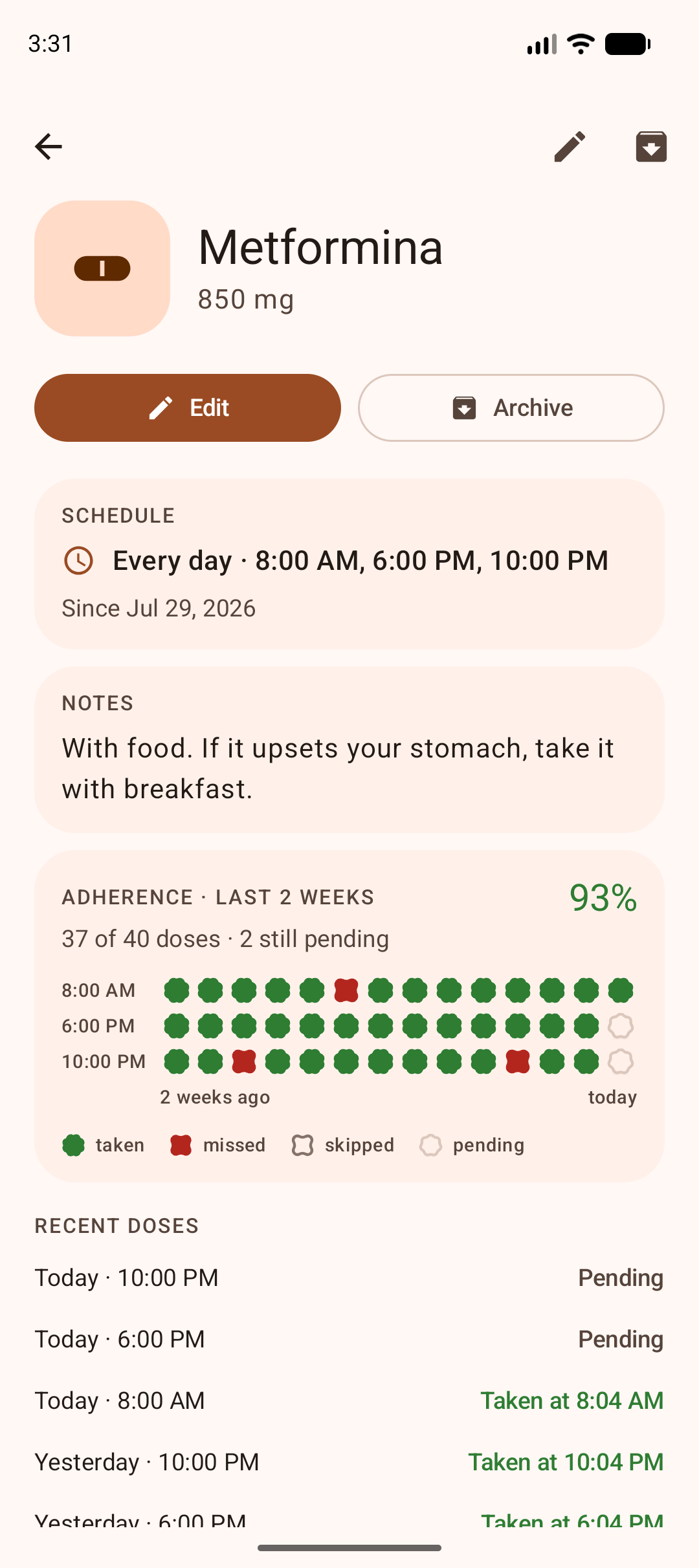
- one mark per dose"2 of 3 taken", not one tick a day
- adherence gridtwo weeks, per medication
- focus screenseveral doses at the same hour
- widgetthe next dose on your home screen
- reminderssnooze or skip from the notification
- export / importplain JSON, yours to move
ls screenshots/
cat privacy.txt
Dose declares no internet permission at all. There is no backend, no sign-in and no analytics, so your medications and your adherence history cannot leave your device even in principle. The privacy policy lists every permission the app does declare, and why.
curl -LO dose.apk
- requiresAndroid 12 or newer
- sourcegithub.com/victor-falcon/dose
Each release carries its version number and the SHA-256 of the APK in its release notes, so you can check the file you downloaded is the file that was built.
man install
- Open the link above on your phone and tap the downloaded file.
- Android will ask whether to allow installs from your browser. Allow it.
- Open Dose. It will ask for notification permission — that is how reminders arrive.
- Tap the "Reminders may arrive late" card on the Today screen and turn on alarms and reminders. Without that, Android decides when to wake the app and a dose due at 8:00 AM can arrive much later.
cat updates.txt
Installing an APK by hand means no automatic updates. Obtainium fixes that: it watches the releases and tells you when a new one is out, without an account and without a store.
add dose to obtainium
That link only does something on a phone that already has Obtainium. From inside the app
it is the same thing by hand: add an app, pick the GitHub source and paste
https://github.com/victor-falcon/dose.
cat why-not-play.txt
Since August 2024, Google Play requires an organization developer account for anything it classifies as a medical app, and medication reminders fall in that bucket. Dose is a side project, not a company, so for now it lives here.
One consequence worth knowing: if Dose ever does reach Google Play, the Play version will be signed with a different key, so it will not install over this one. You would need to export your data from Settings, uninstall, install from Play and import it back.